Code. Run. Create.
A small, modern code editor. Run your code with one click, see your website live while you type and get help from AI – without setting anything up.
Everything you need,
nothing you don't
Flux is made for learning and building – from your first print() to a full website.
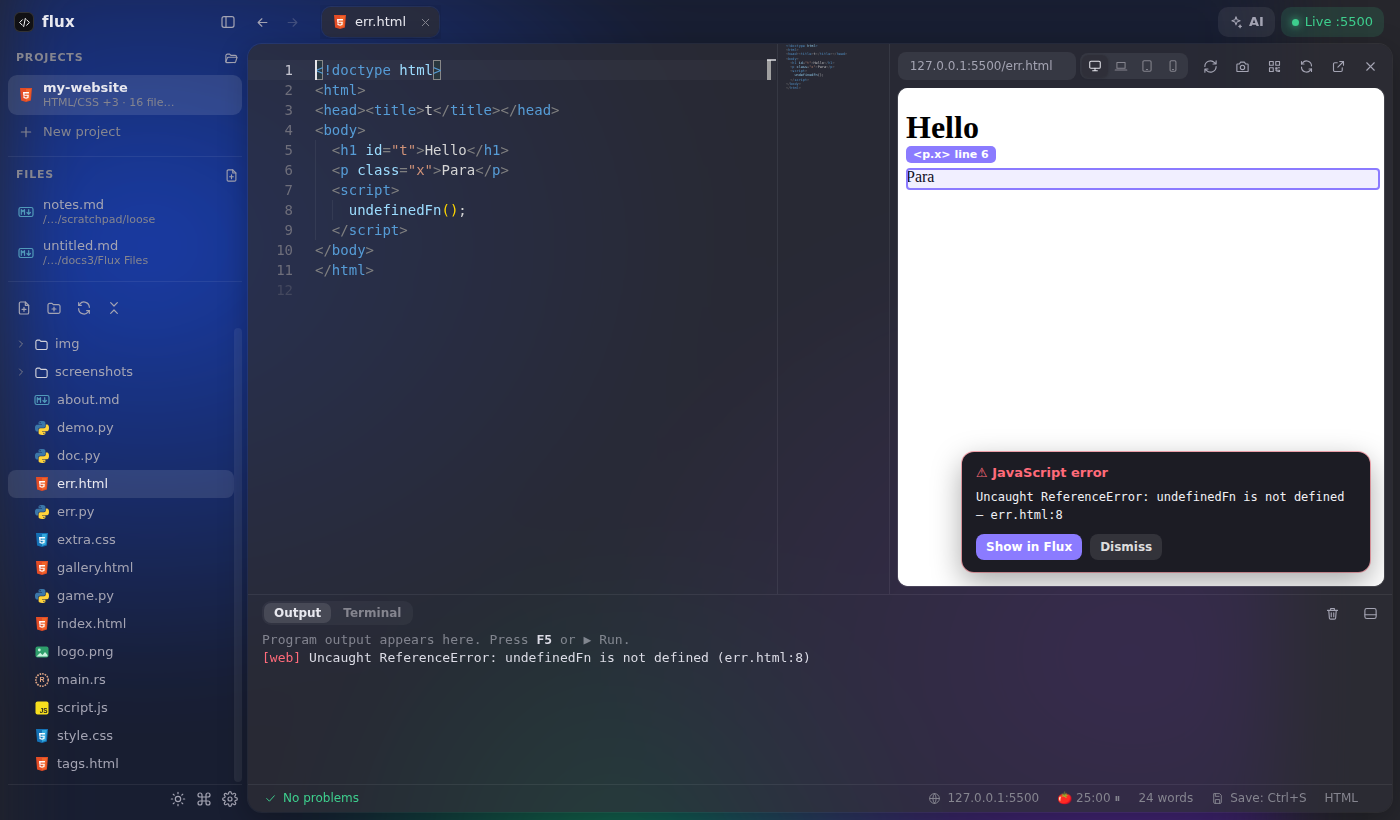
See your website change as you type
Your page right next to the code, reloading every time you save.
- ⌥Alt + click any element and Flux jumps to its line in the HTML.
- !JavaScript errors show up on the page with a Show in Flux button.
- ▭Phone, tablet or laptop frames – rotate them, take a screenshot.
- ⌗Scan a QR code to open the page on your real phone.
Themes, colors, plugins
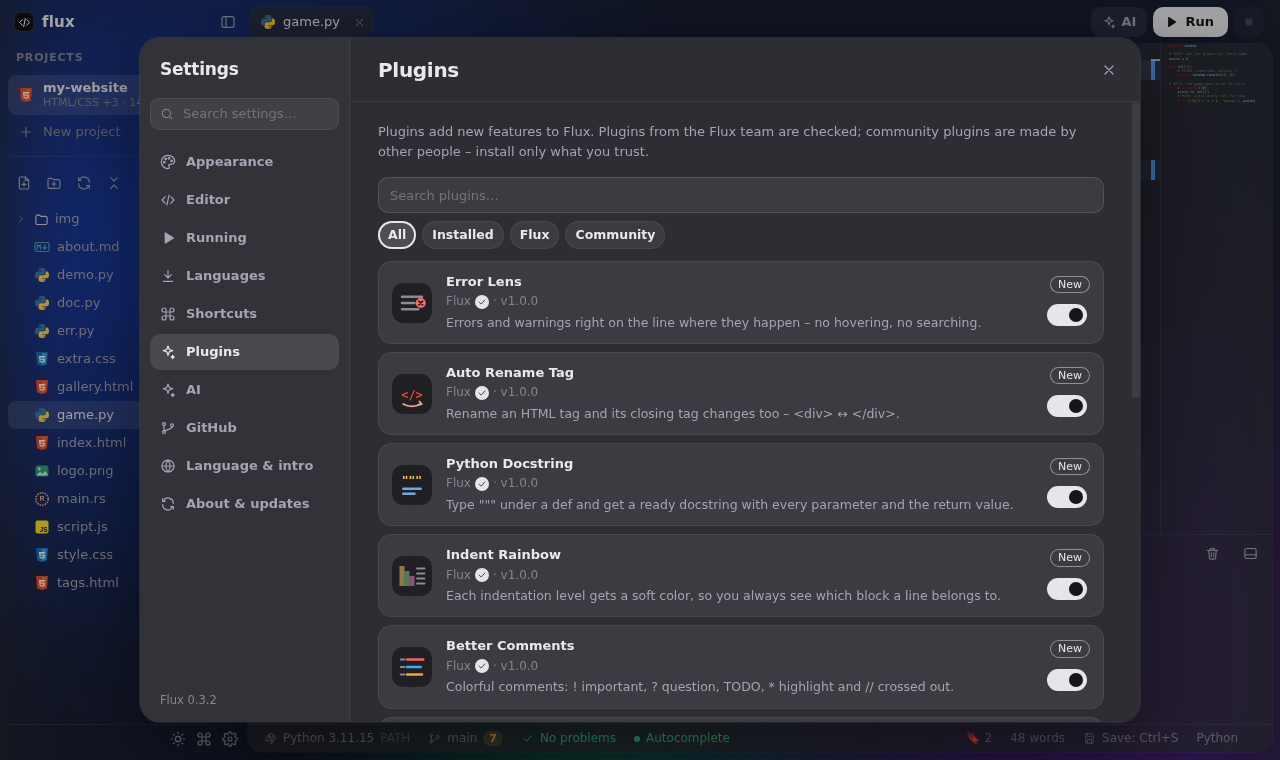
Pick a code theme, your accent and app colors, fonts, cursor and wallpaper – or install plugins with one click.
- ◐Themes – or build your own in the theme studio.
- ✦Plugins – Theme Pack, Glass UI, Snippets, Flux Together and more.
- ⚡Save memory on slower PCs – and fine-tune every part yourself under Advanced.
- 🌐9 app languages, downloaded only when you pick one.
Your languages, your way
The installer stays small – programming languages download from their official sources only when you need them.
Fast with the keyboard
Every shortcut can be changed in Settings → General → Shortcuts, and you can add your own that run scripts or insert text.
Download Flux
Every version straight from GitHub Releases. Once installed, Flux downloads new versions by itself.
Questions and answers
The short version of everything people ask about Flux.
What is Flux?
Flux is a free, small and modern code editor built on Monaco (the editor inside VS Code). It runs your code with one click, shows websites live while you type (Live Server) and has Claude AI built in – without any setup.
Is Flux free?
Yes. Flux is completely free, needs no account and has no ads. The source code is on GitHub.
Which operating systems does Flux run on?
Flux runs on Windows 10 and Windows 11 today. Versions for macOS and Linux are being prepared and will come later.
Which programming languages does Flux support?
Python, JavaScript, TypeScript, HTML & CSS, Java, C / C++, C#, Go, Rust, Ruby, PHP, Lua, Perl, Zig, R and Julia. Press F5 to run a file – if a language is missing, Flux downloads it from its official source.
How do I install Flux?
Download Flux-Setup.exe from this page or from GitHub Releases and run it. If Windows shows “Windows protected your PC”, click More info → Run anyway. After that Flux updates itself.
How does Flux update?
Flux checks GitHub Releases and downloads new versions in the background. They install when you close Flux, or right away with Restart and update – a small “Updating Flux” window shows the progress and Flux opens again by itself.
Is Flux a good editor for beginners?
Yes. Flux is made to be simple: there is nothing to configure, code runs with one key, errors are explained and the AI assistant can help you fix them.
How is Flux different from VS Code?
Flux uses the same Monaco editor but is smaller and ready right away: running code, Live Server, AI and GitHub are built in instead of needing extensions and configuration.
Start coding in a minute
Download, run the installer, pick your languages – done.